Where do I find my WooCommerce license key?
To activate woocommerce plugin on Webkul, you need a purchase code, store order id or WooCommerce Purchase key.
To get this code, check the WooCommerce My Purchase Code Guide.
How do I activate WooCommerce Plugins?
Please follow the below-mentioned steps to activate the plugin, once it has been successfully installed:
Step 1: Login to your WordPress store account.
Step 2: Navigate to “Webkul WC Addons or click on Woo Affiliates, then choose the addon.

Step 3: Next, click on “Settings,” select the purchase from like codecanyon, Webkul store or Woocommerce you have to select from where you have purchase the plugin.
Then enter the purchase code, store order id or WooCommerce purchase key.

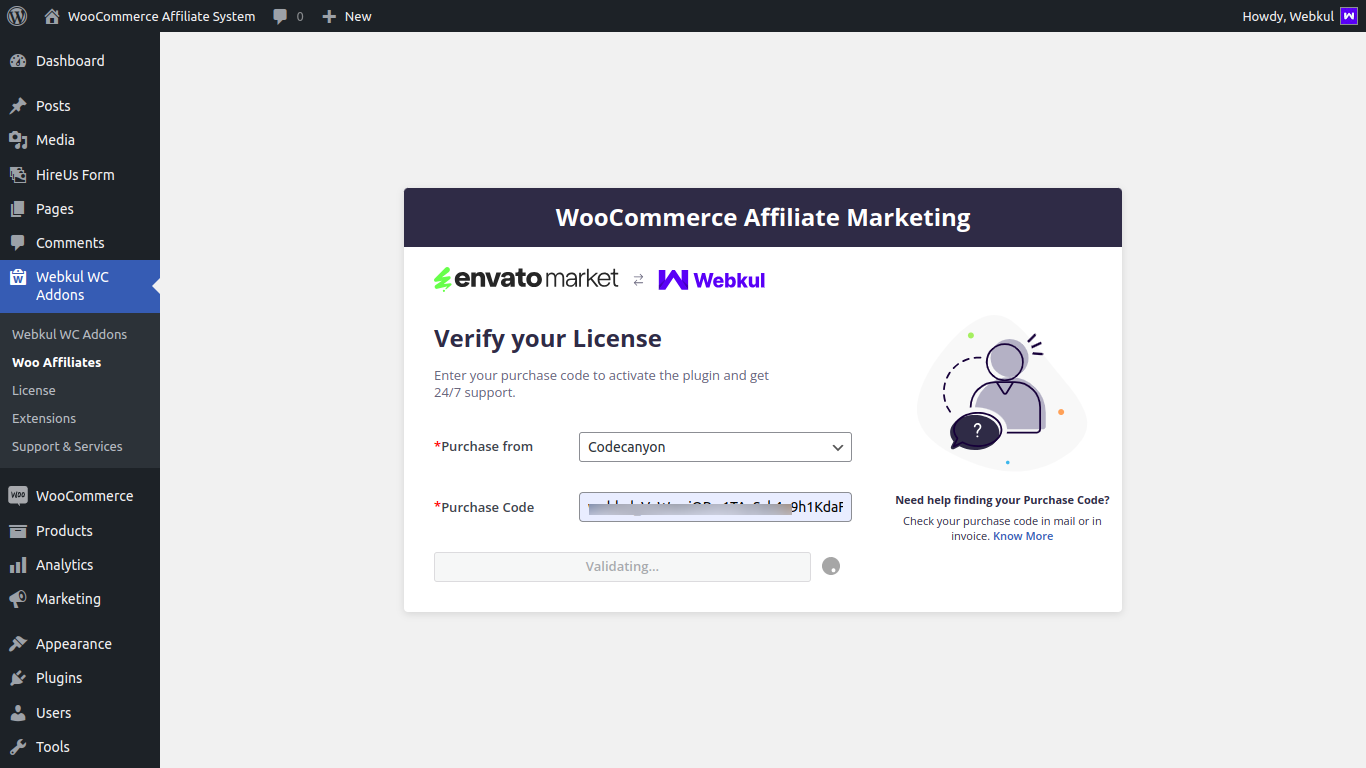

You can also activate the module by clicking on the “License” option.
Then, it will redirect to the new page where you will find all the plugins and select the purchase from then add there code,id or key accordingly to activate the plugin.

Then enter the correct purchase code and click on the “activate” button to activate the plugin.

Once the plugin will be activated status will be updated as approved.

Important Note:
- Our licensing system supports up to two domains per license.
- If you have already used the license for two domains, when attempting to use it for a third domain, the system will display a list of the recently used domains. You will then have the option to remove one of the existing domains and add a new one.
Also, even if your support for the plugin is expired and you try to activate the purchased plugin using the purchase form in which you have to select the source from where you purchase the plugin, in this case, the plugin gets activated but shows as expired.

So, that was how to activate a woocommerce plugin using license key?
Also, you can check a complete list of WordPress and WooCommerce Plugins that can help enrich the features of your webstore.

Be the first to comment.