

Do you want to allow sellers of your marketplace to create orders of the customer? If yes, then Prestashop marketplace Seller Create Order module is the one that you were looking for. It allows sellers of the marketplace to create orders on the customer behalf & also apply voucher to the order.
The functionality really helps when your customers face difficulty while placing orders caused due to whatsoever reasons. In such cases, sellers can easily place orders on behalf of the customer & send them a link to pay for the order.
NOTE
In order to create a new order, a seller needs to click on the “Add new order button”.

Search & select the name of the customer for which you want to create an order.
After that fill in all the relevant details in order to create an order on behalf of the customer.
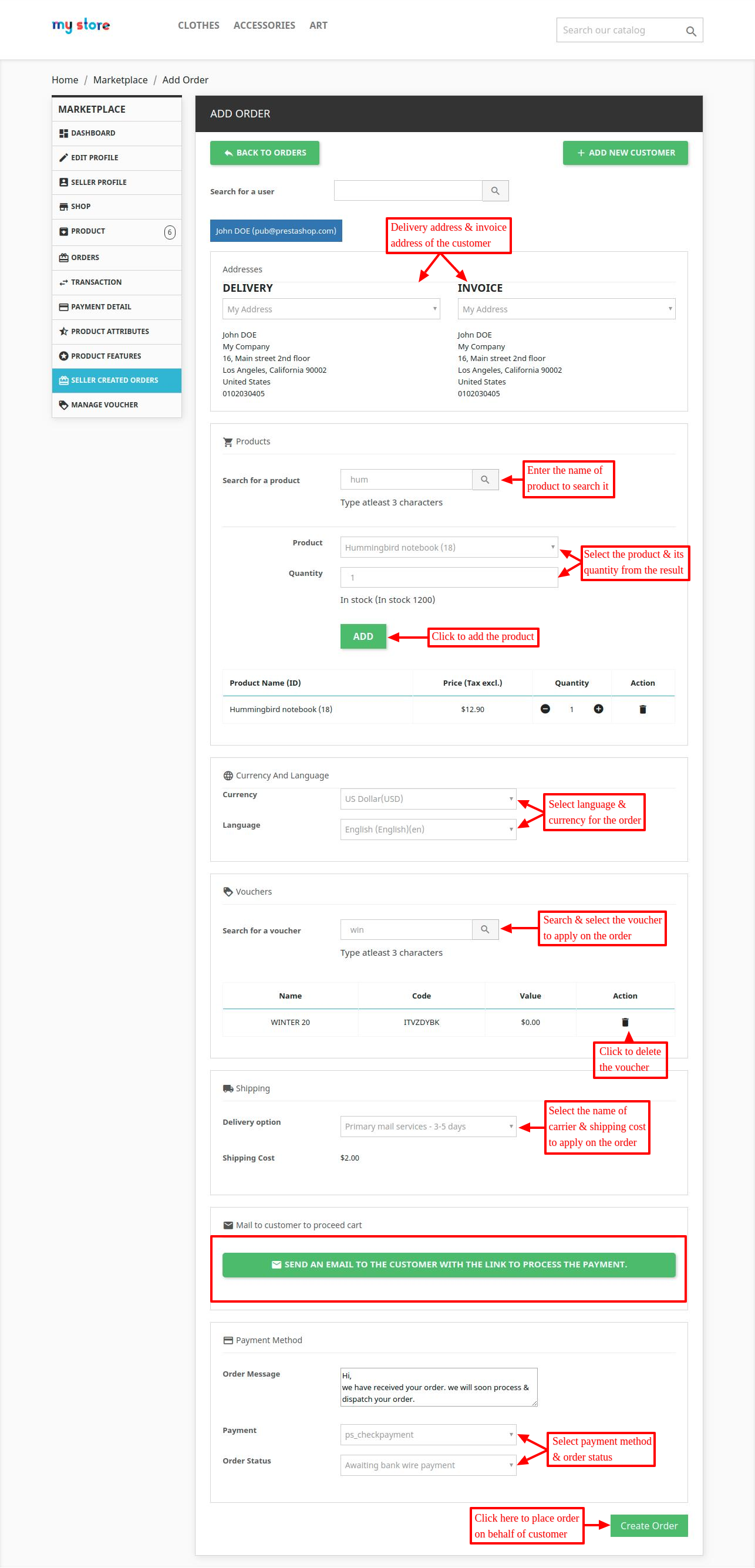
After creating an order, sellers can view list of all the created order under ‘seller created orders’ tab.

Now, let’s see what are those details that are available at the admin’s end. At the admin’s end, a new tab adds to the seller dashboard. Under this tab i.e. “Seller Created Orders”, two new sections are available. The first section is ‘Seller created orders’ & the next one is ‘Pending approvals’.

Under ‘Seller created orders’, a list of all the orders created by sellers are available.

Then there is the next section i.e. “Pending approvals”. Here is the list of all the orders which needs the approval of an admin. Admin can choose to approve or reject these orders.

So, this was all about the Prestashop Marketplace Seller Create Order. The module will help the seller to create order on behalf of the customer & help in recovering the lost sales.
Also, please explore our Prestashop development services and vast range of quality Prestashop addons.


