

Multi-Vendor Product 360 View for Magento 2 allows customers to view the product from all possible angles before making the order, to get into the exact idea of the product.
The extension allows both the admin and the sellers the opportunity to incorporate items with a 360-degree view that ultimately shows the profile of the product from any possible angle and enriches the look of the product as well as the shop. In order to display the product’s 360-degree rotation, the images must be attached in the proper sequence.
Please Note – This is a marketplace add-on, so you must install Webkul Multi Vendor Module for Magento 2 first.
It is not sufficient to display just the high-end images of the products on a website before you do something that really helps the customer to see every part of the product.
This will not only satisfy the customers by buying the right product but will also certainly boost the image of the store’s brand and help to increase customer conversion.
To achieve a better conversion from customers, you can go to the Marketplace Product 360 view Add-on which will help your website customers view the products of both the admin and the sellers with a 360-degree view.
After seeing it with a 360-degree view, the admin & seller will apply the 360-degree view to the new as well as existing products, allowing a transparent choice for the customers to select the product.
Customers can see 360-degree product images which offer a more immersive view and also increase product sales chances. The extension allows customers to view the entire product without having to hold it in their hands physically.
Now, before the product is purchased by a customer, merchants will be able to display products from all points of view and angles. A customer will look at the product thoroughly and get a closer look online.
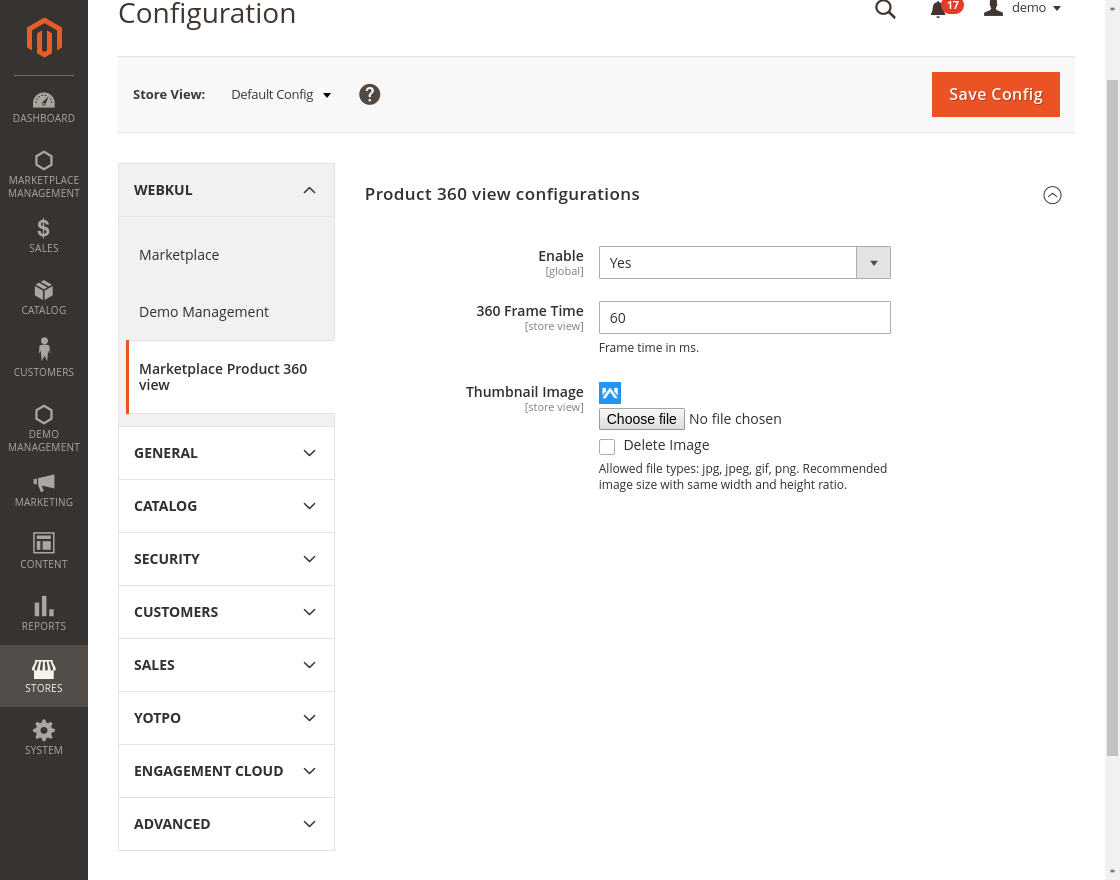
Set the frame timing for the product image’s crisp rotation, which effectively moves the image as desired rapidly, moderately, or slowly. The admin will set the thumbnail image that the customer needs to click on to display a 360-degree view of the product.
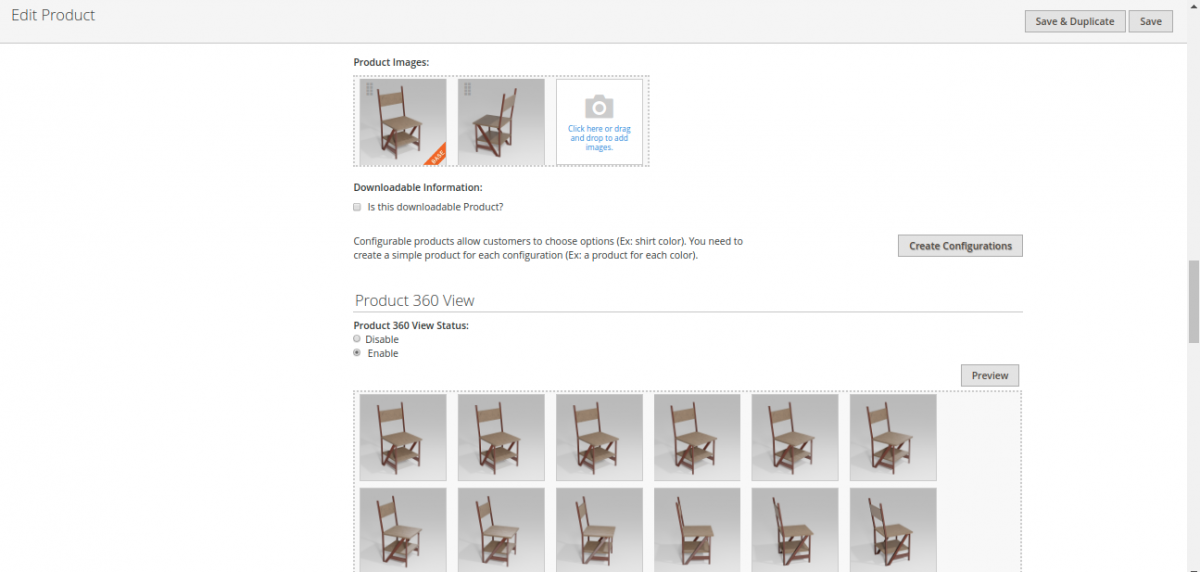
The product view feature at 360-degree supports Simple & Configurable product types for seller products. The seller may also apply the functionality to new or existing products.
The seller can allow the functionality to be used with the product when adding or editing a product from the 360-degree view section of the product and can add multiple images with a proper sequence to display the 360-degree product. Also, the seller can take a live preview of the 360-degree view of the product before saving the product.
By presenting the product with a 360-degree view, the customer will experience a vivid product experience. By visiting the product page and clicking on the 360-degree thumbnail, the customer will look at the products of admins and sellers with rich 360-degree product view features.
The customer can view the 360-degree rotation, can rotate as desired, start & stop. By the support of the mouse, the product image can also be shifted conveniently at a 360-degree angle to get the product view from every angle.

That’s all for Multi Vendor Product 360 View for Magento 2. If you have any issue, please feel free to add a ticket and let us know your views at https://webkul.uvdesk.com

