How To Manage Dispute & Complaints In Your Online Store?
Nishad Bhan
15 November 2021
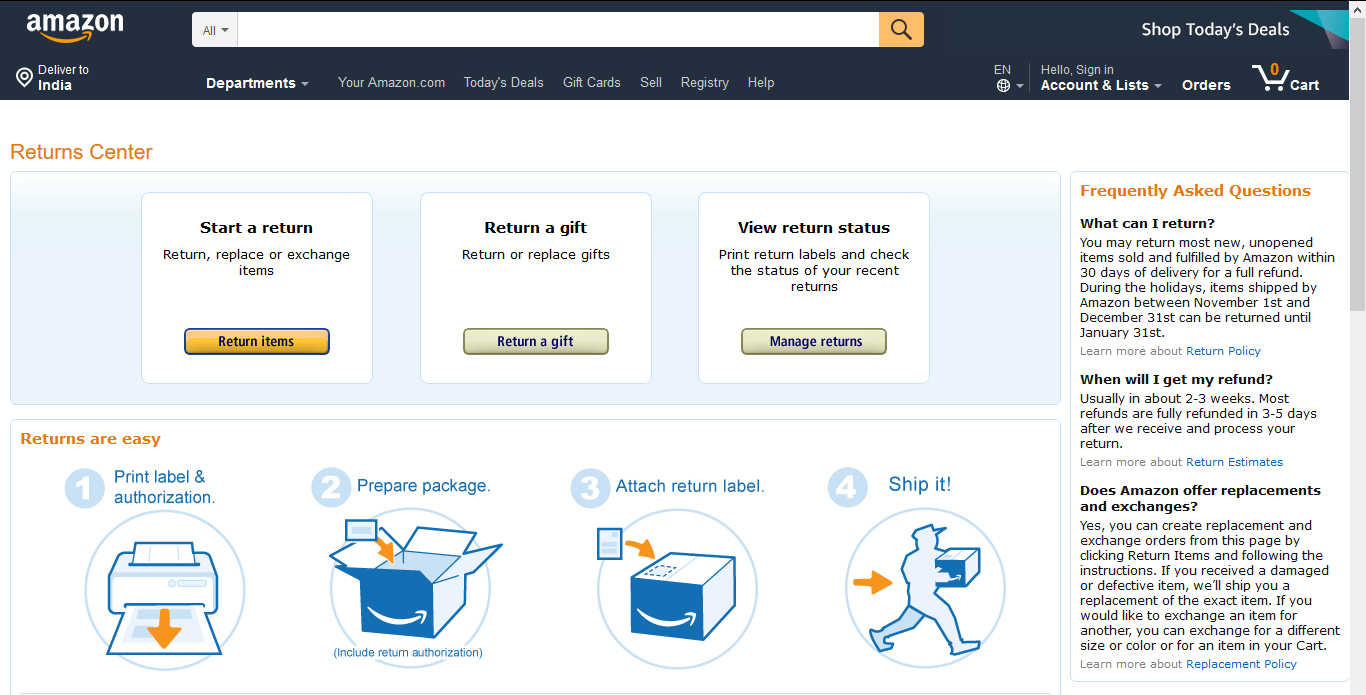
How big your e-commerce marketplace be but the returns will occur and that’s an inevitable part that can’t be eliminated. So it’s been seen that all the key players like Amazon, eBay, and others all have a return system for managing their returns.
However, the returns can only be managed using a return system. So, to manage the returns we can always make use of a Return Merchandise Authorization system that allows you to manage the returns in an efficient way.
Type of disputes?
In a nutshell, there are two types of disputes that arise – Returns and Replacement/Exchange
Returns – Returns arise when a customer has changed his mind regarding a product or has found the product somewhere else with a lower price.
Replacement/Exchange – Replacements arise when a product is damaged or the product size is not according to the required fit.
Why do Disputes occur in Marketplaces?
Usually, within the online marketplaces disputes occur when there is an occurrence of a –
Size fit issue – The customer might order a size 42 for the shirt but received a size 37. This can also be a major reason for raising a dispute from the customer’s end.
Here, the marketplaces can make use of the virtual Try-on feature so that can try out the products within a virtual environment before purchasing the actual product.
Wrong or different product – It might happen that the customer had ordered black jeans and received a green one instead thus making the customer raise a dispute.
Damaged product – While in transit, the product can get damaged and this can lead to a dispute.
What’s the need for Return Merchandise Authorization(RMA)?
When a customer purchases products from a brick-and-mortar shop, it is easy for the customer to reach back to the shop in case of any issues.
The customer can easily ask for a replacement and this makes the customer happy and confident while purchasing again through your physical store.
But the same doesn’t apply to an online shop. After a customer purchases a product from the online shop, the customer can’t make a request for a return or replacement.
So, here comes the need for a return management system that allows the customers to easily place a return or replacement.
How to manage Complaints?
To manage the complaints within your marketplace in an efficient manner you can make use of the Return Merchandise Authorization extension by webkul. It allows the customer for product return and order return between buyer and seller.
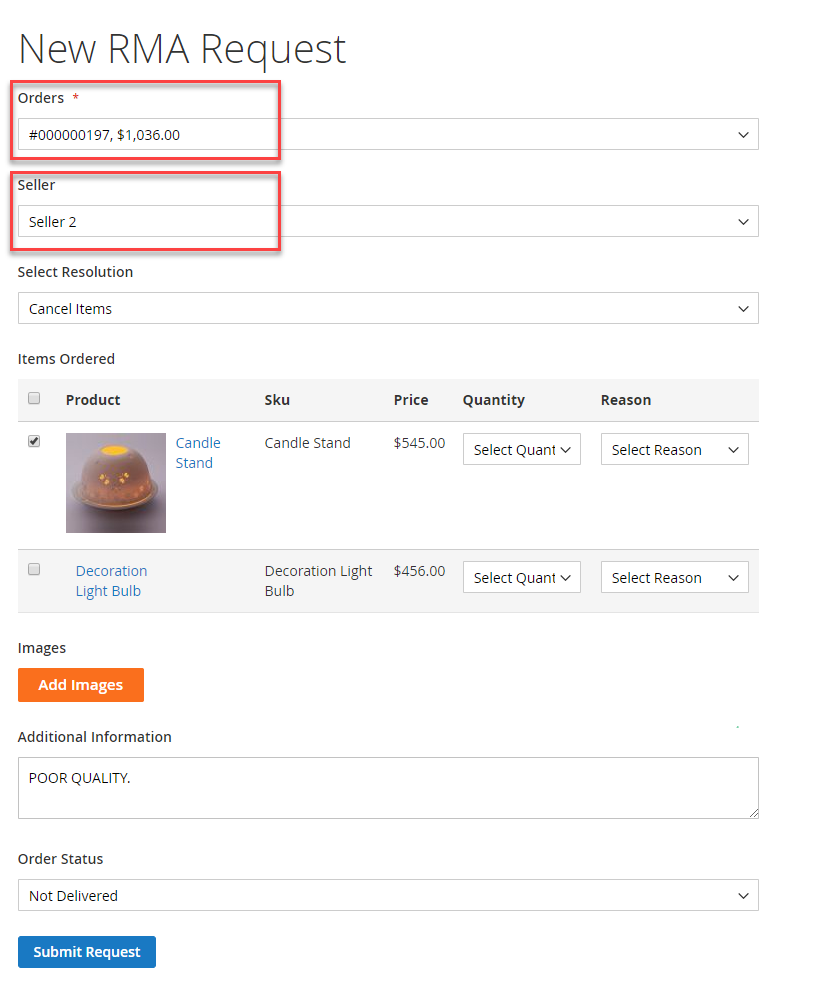
Using this extension, the customers can easily create the RMA request for the seller’s products. The customer can generate RMA for refund/replacement. The customers can choose the resolution type as cancel item, replace, or refund as required.
Note: Here is a list of RMA extensions for various open-source platforms that you can make use of –
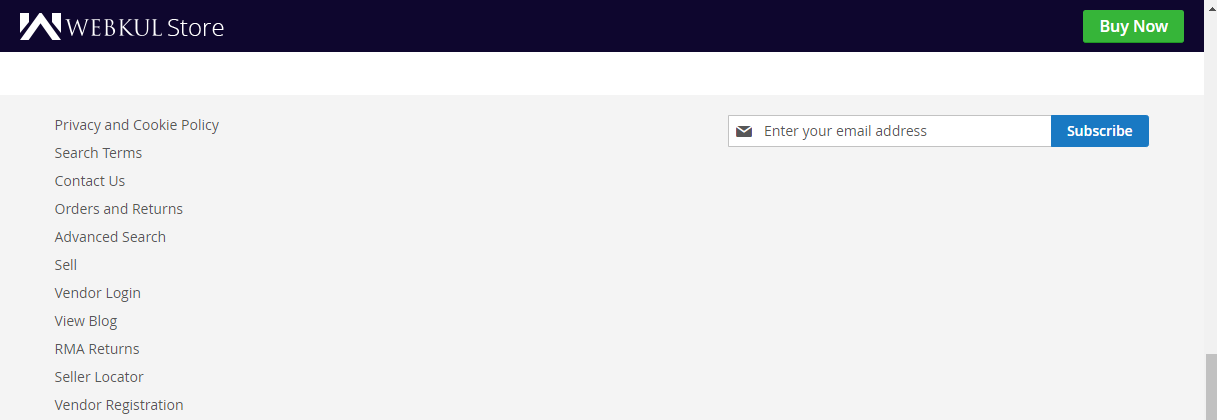
Easy Navigation To Return Link Your marketplace store must have an easily reachable/visible returns section or a link so that customers won’t find it difficult to find. You can place the returns link in the footer section for quick access.
Split Returns While a customer has purchased multiple seller products, the customer must be able to select any of the products to return from that particular order. What this means is that customers must be able to choose which product to return from a list of products having multiple seller products.
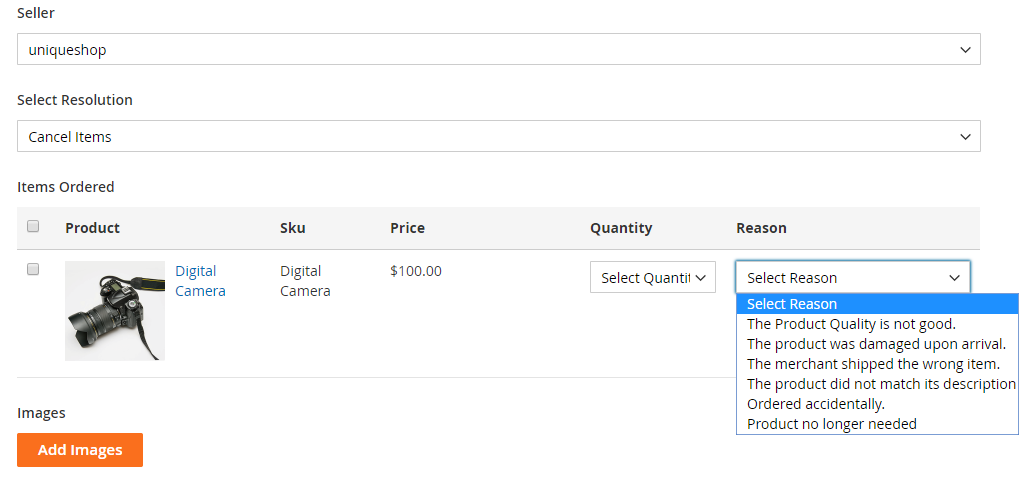
Return Reasons The return reasons must clearly be mentioned and should match the reasons the customer is trying to choose while submitting RMA.
Return Policy While a good return policy should be available for the customers it makes them go a step further to have the confidence to purchase your products.
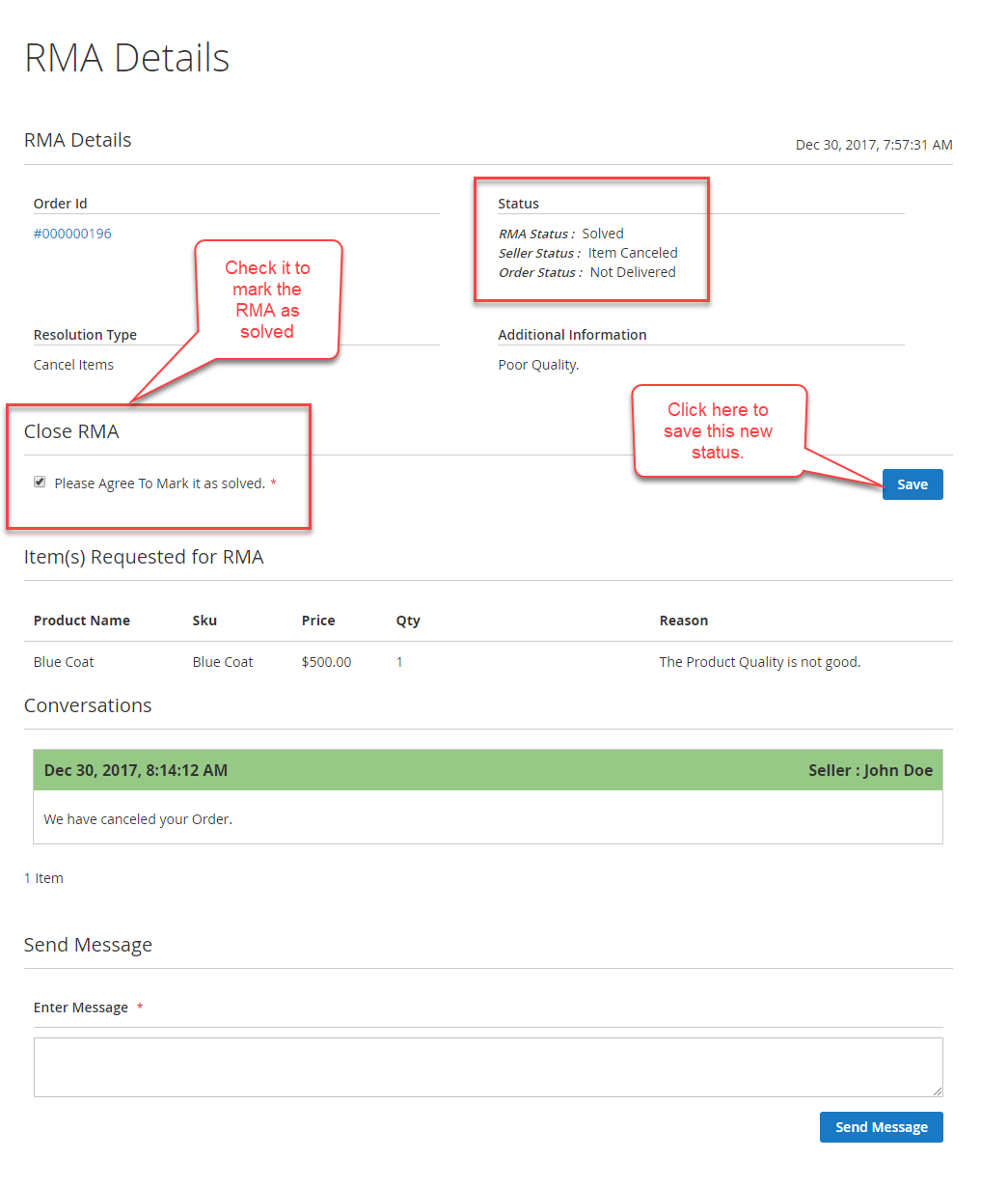
Return Tracking The customer should have the functionality of tracking their returns easily under their own account panel. The customers can check the RMA Status, Seller Status, and Order Status.
From the order status, the customer gets to know whether the returned item has been delivered or not. After the status gets changed to Delivered, the customer can choose to select the option to mark this RMA as solved.
Refunds The sellers of the marketplace should be able to provide the customers with an option of a full or partial refund depending on the situation. They can also provide the customers with store credit points that they can make use for purchasing products.
Inventory Management
After a product has been returned to the respective seller, the inventory of that particular product should get updated and added back to the product’s inventory.
Suppose, we have a Seller S1 having a product P1 with stock 20. Now, a customer purchases 1 unit of this product so the stock gets reduced to 19 units.
Now, if the customer opts for a refund then in that case, the product stocks should get auto-incremented to 20 units so that the inventory gets balanced.
Benefits of using RMA Module
Benefits of using the returns management system for managing the disputes in an online marketplace –
Customer End:
No hesitation to purchase the products: When a customer wants to purchase a costly product online, he gets hesitant if the seller doesn’t provide returns, and thus the sale is lost by the seller in the first place.
But, having a returns management system surely adds to the seller’s credibility and the customer has no hesitation to purchase from the seller itself.
Seller End:
Boost Sales.
Easy management of returns.
A unique return id is given to each of the returns thus allowing the sellers to manage the returns easily.
Notes/Comments can be used to identify the areas of improvement.
Support
That’s all for How To Manage Dispute & Complaints In Your Online Store still have any issues feel free to add a ticket and let us know your views to make the module better contact us.