

In this read, you will be able to check the features that upwork.com provides and how they can easily be achieved using Webkul’s modules. This case study will allow you to create a freelancer Upwork marketplace clone.
Freelancing benefits not only for entrepreneurs to discover freelancers’ ideal skills sets. It rates who will suit their needs, as well as for freelancers to increase employment.
Currently, in the writing time of this blog according to a recent survey, Upwork has more than 12 million registered freelancers and 5 million registered employers.
In recent years, many of the new business startups based on the freelancing marketplace has emerged as an eCommerce giant like Upwork, and Fiverr.
Upwork is a young company was started with the motive to bring independent freelancer and employer together at one platform where both can get the opportunities with the skill sets and expertise.
Well, Start an online business freelancer marketplace like Upwork & Fiverr or making an Upwork Marketplace close is just easy and simple using the Magento2 platform and Webkul Marketplace plus addons.
Read on to know what does Upwork offers and how those features can achieve by using Webkul modules.
You can see Upwork has a smart and unique homepage that contains various valuable features. They are – category, search filter, login option, and sign-up shown below image.
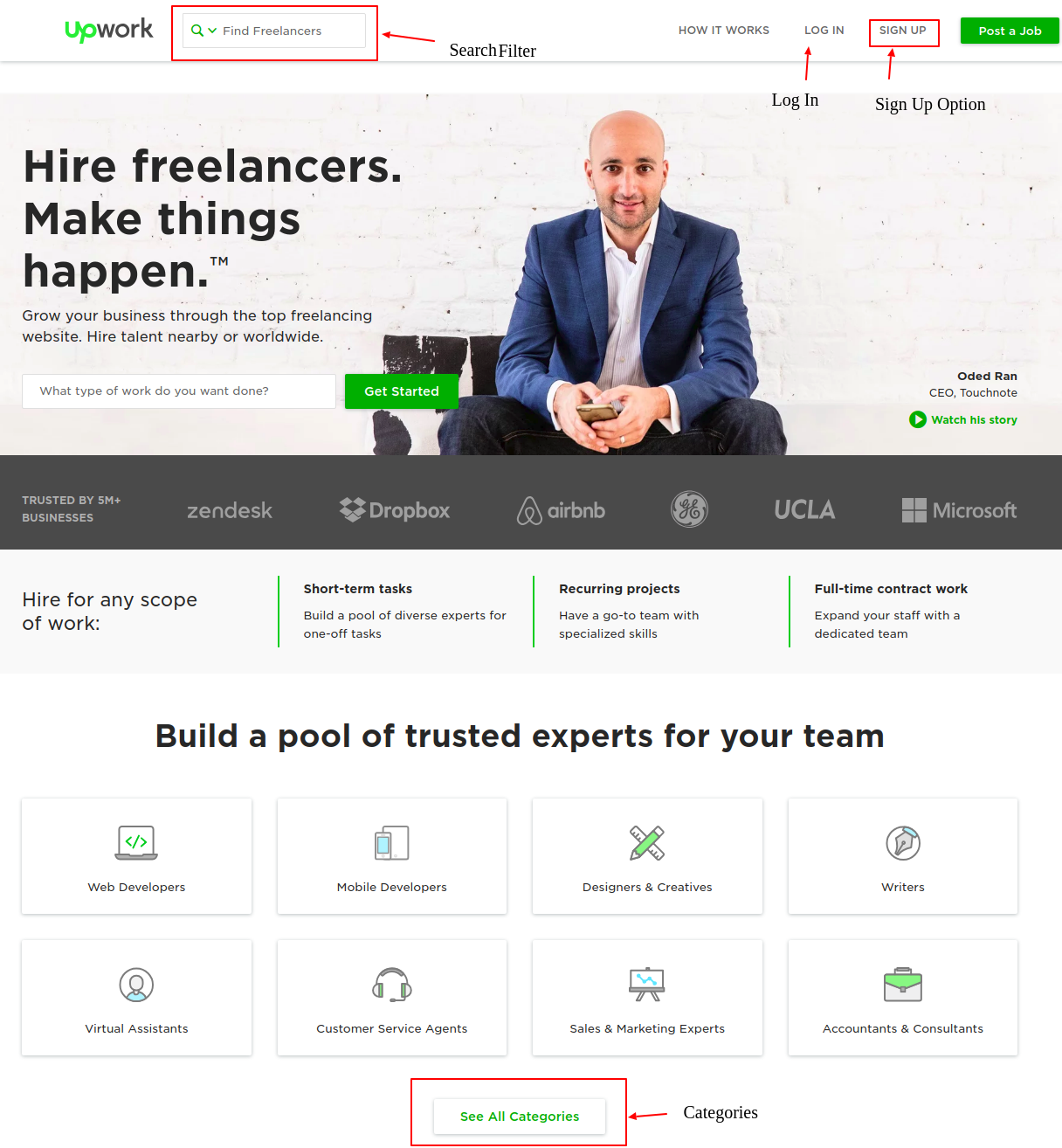
By using Magento2 marketplace multivendor module admin can create different categories based on freelancers’ profiles ex: web designers, graphic designers, writers, and SEO experts. Freelancers can access those categories from their accounts.
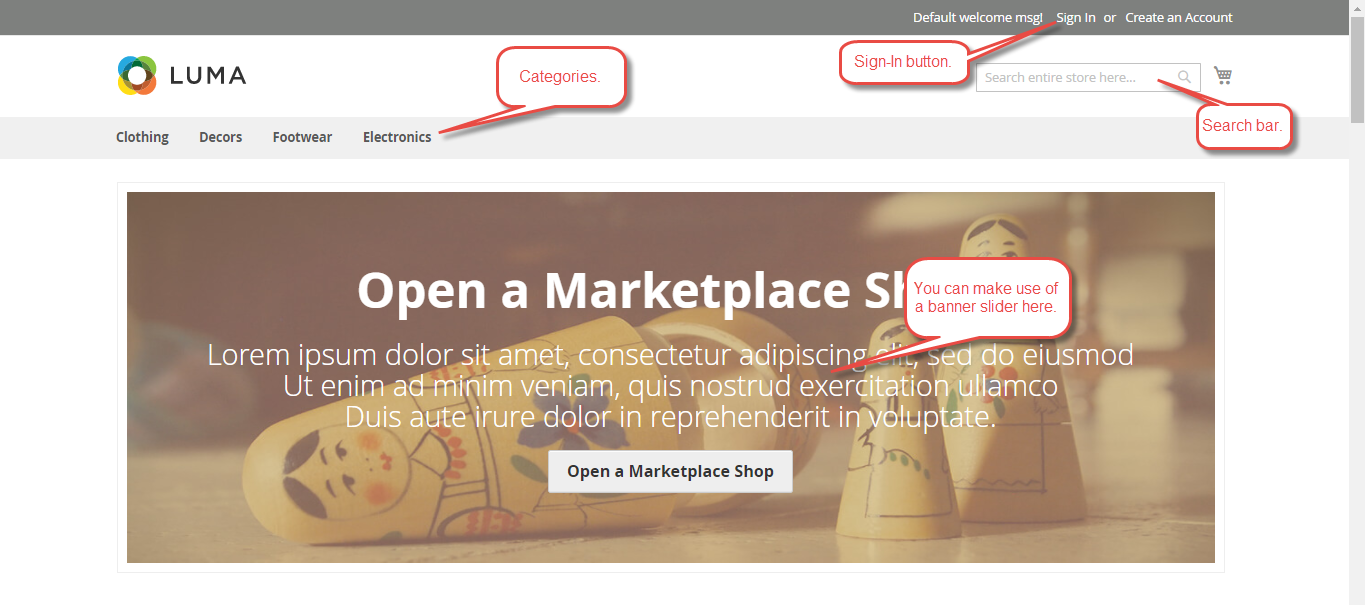
You can also set a slider on your marketplace front page by using Marketplace Responsive Template For Magento 2 it will work very fine on all screens either you are viewing marketplace site in iPhone, iPad, Android based mobile devices, or small or big screen devices
Upwork provides the login for the freelancers and clients who are already registered. Furthermore users can Sign up who are not registered on the login page.

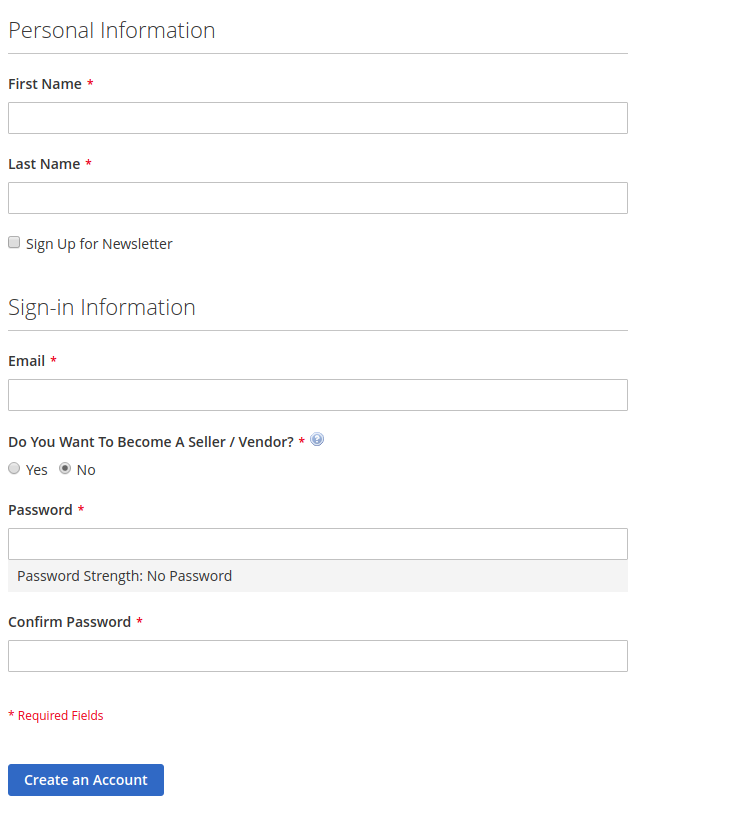
Webkul provides a separate Sign Up page for both Freelancers and Companies on the marketplace landing page. It includes various fields including “become a Partner”.
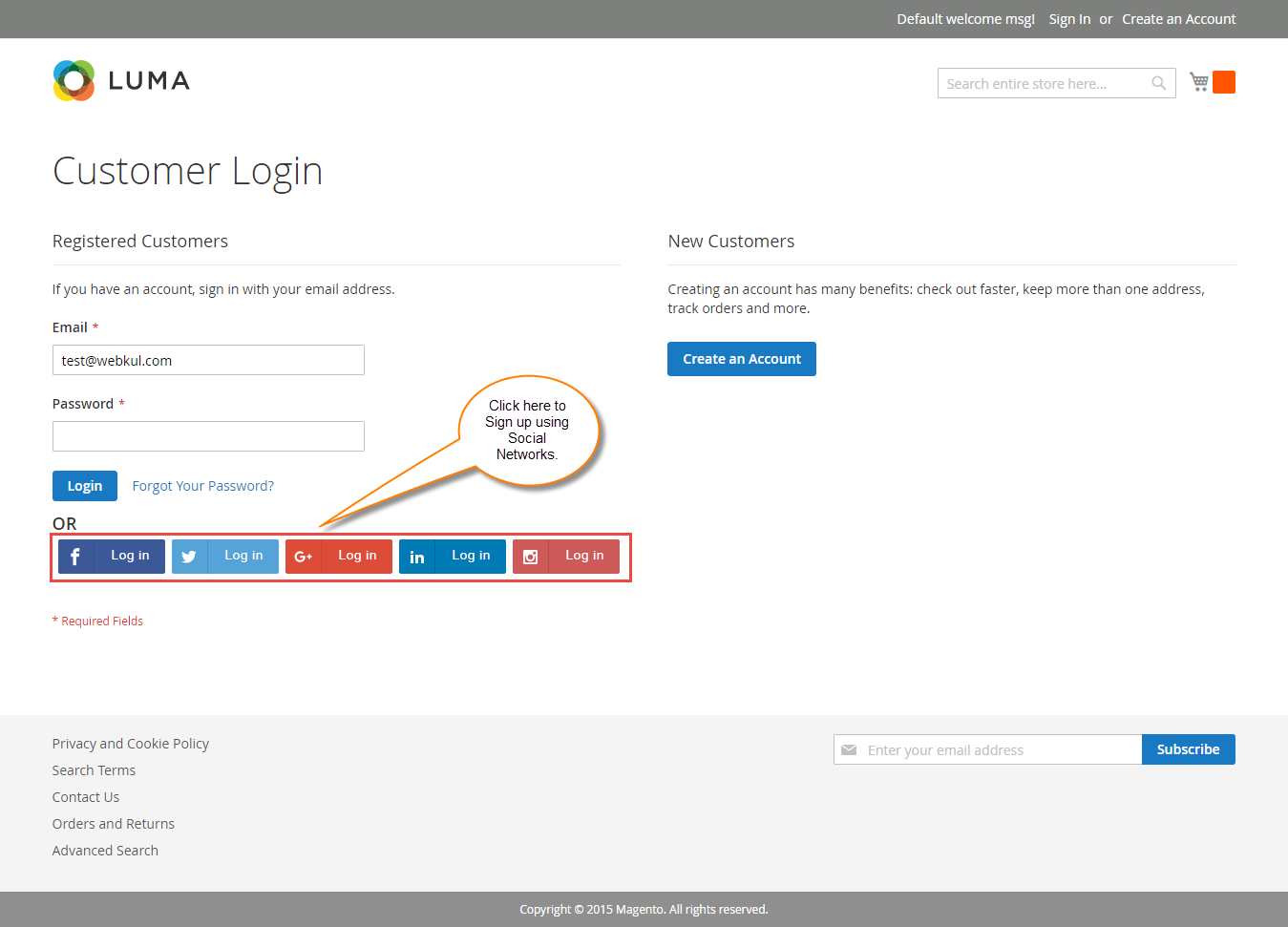
Webkul also provides the social login via the Magento 2 Social login extension that allows the users to sign up into their site using social networks like Facebook, Twitter, Google, LinkedIn and Instagram.
There are multiple fields on Upwork website which contains personal information of users during the sign up.
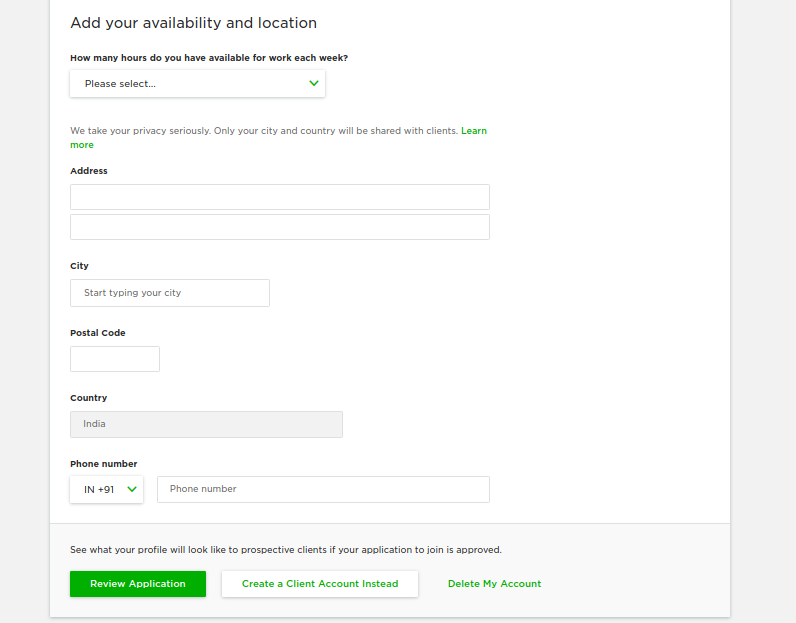
Magento 2 default custom registration form is not extendable, For extend default custom registration form field you can make use of the Custom Registration Fields for Magento 2.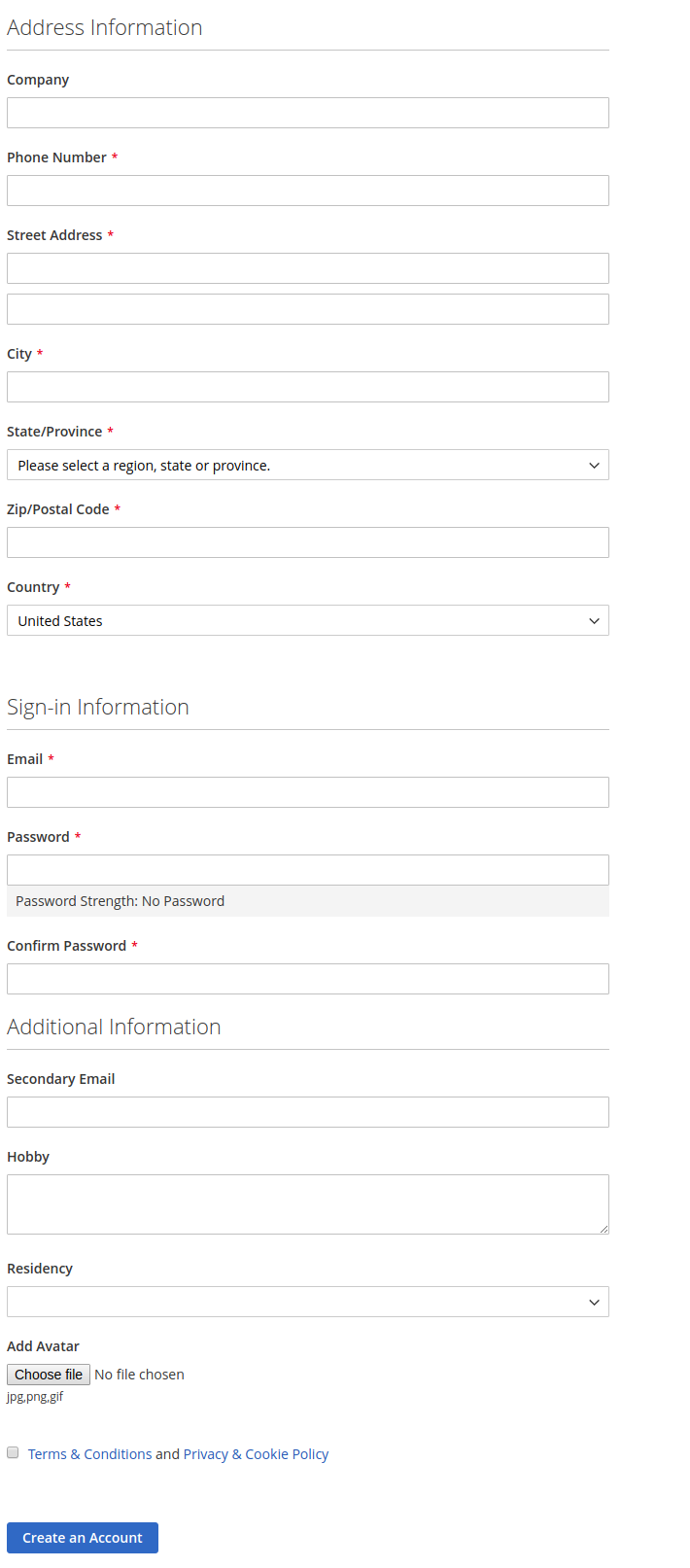
However, Upwork allows the freelancer to make a proposal to introduce themself. Highlight their expertise, and show the client why you’re the best candidate for the contract.
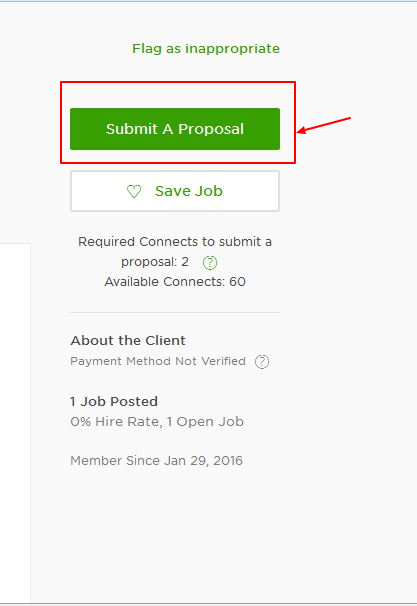
Here, Freelancer can make a proposal by clicking on “submit a proposal button“, Upwork proposals includes “Additional Questions” and “Cover Letter”.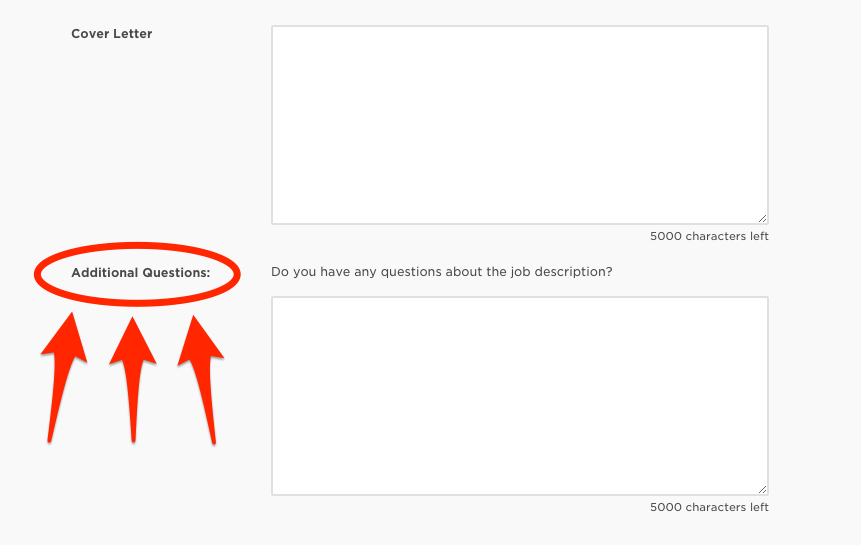
By using Magento 2 Marketplace Request For Quotation (RFQ) one can easily access this type of feature on marketplace store.
In the above image, you can see anyone can go to the header menu and click the Request For Quote option, and after clicking this option the following page will appear that would be helpful to submit a proposal.
Note: Hidden details can change from the admin backend panel as per business requirements.
Upwork message provides a real-time communication tool that enables companies and freelancers to communicate directly. They can communicate via chat plus and also share & sync files.

This type of feature can achieve by using Webkul Magento 2 Marketplace Buyer Seller Chat extensions, that canbeasily integrate with Marketplace.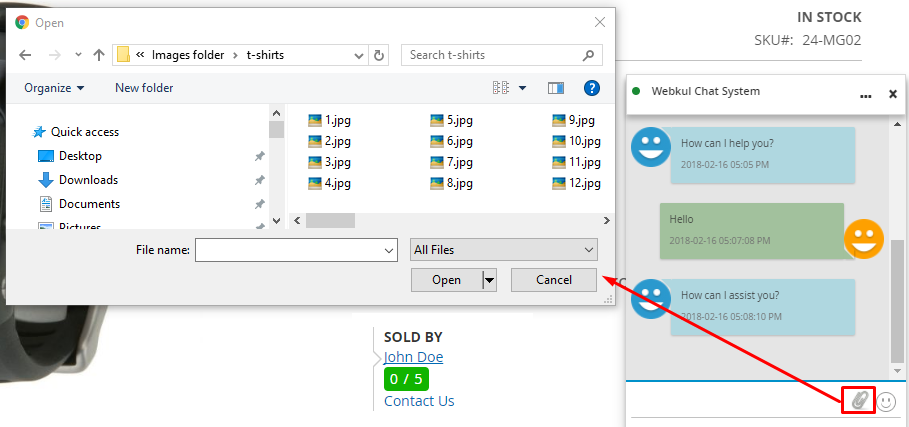
Most important, Upwork allows integration with Paypal or another secure payment gateway for both employers and freelancers that make the transaction process faster.
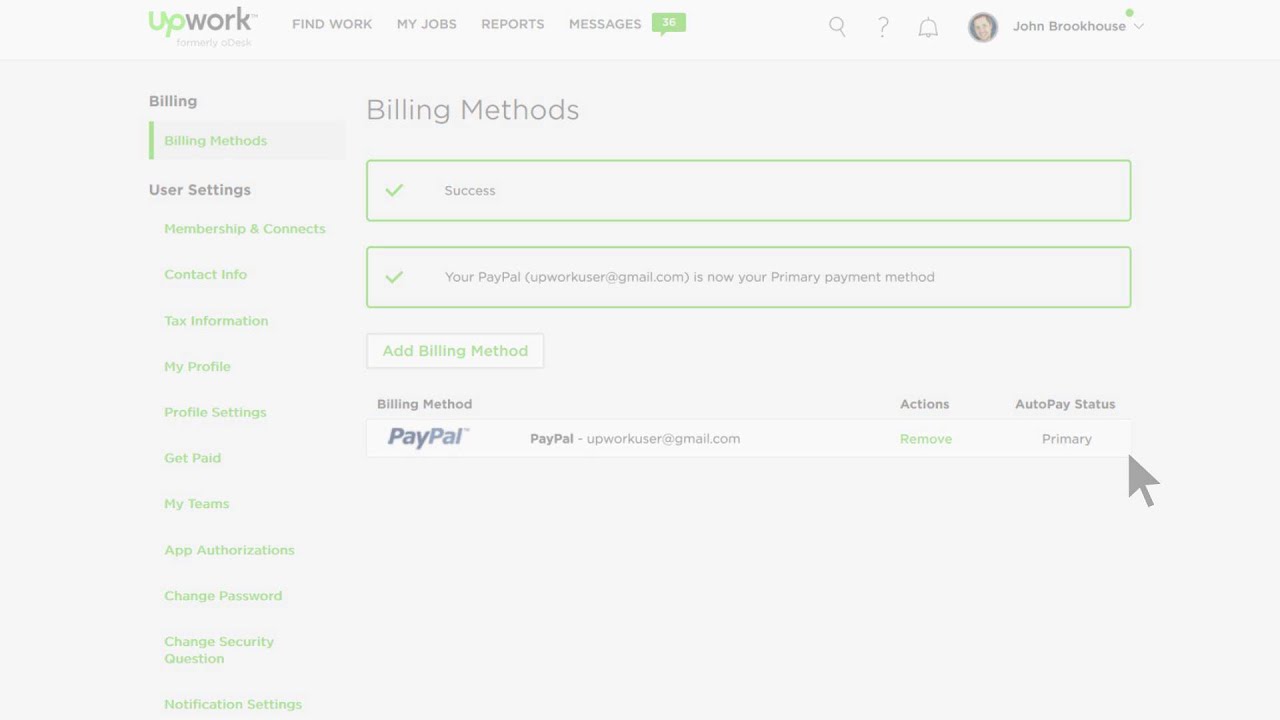
This type of secured payment integration can configure with Magento 2 Paypal Adaptive Payment marketplace addon This module will work accurately with the marketplace and Paypal Parallel. You can also check out other payment extensions offered by Webkul.
That’s it, Now you can build easily a similar freelancing site or marketplaces like Upwork using the Webkul marketplace module and its add-ons. Start a better online freelancing business around the world.
Furthermore, you can visit our store Webkul and you can explore more beneficial addons for the marketplace.
Disclaimer- Upwork.com is a registered trademark. Webkul is not a partner or an affiliate of Upwork.com. This blog is only from the user’s perspective.
